
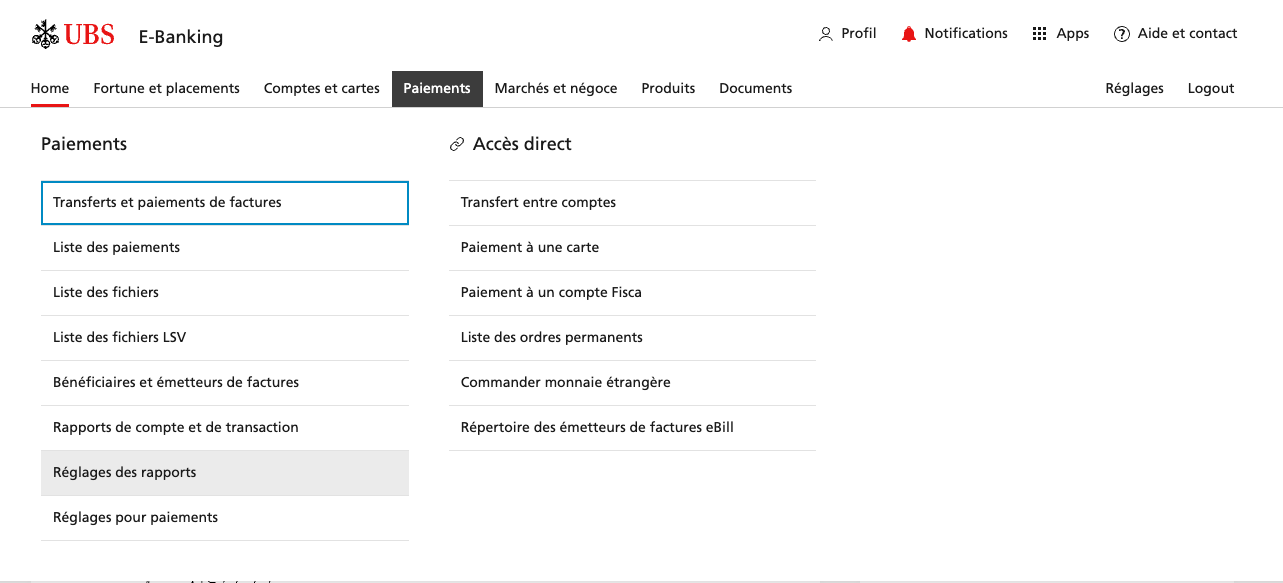
In UBS e-banking, navigate to Payments → Report settings.
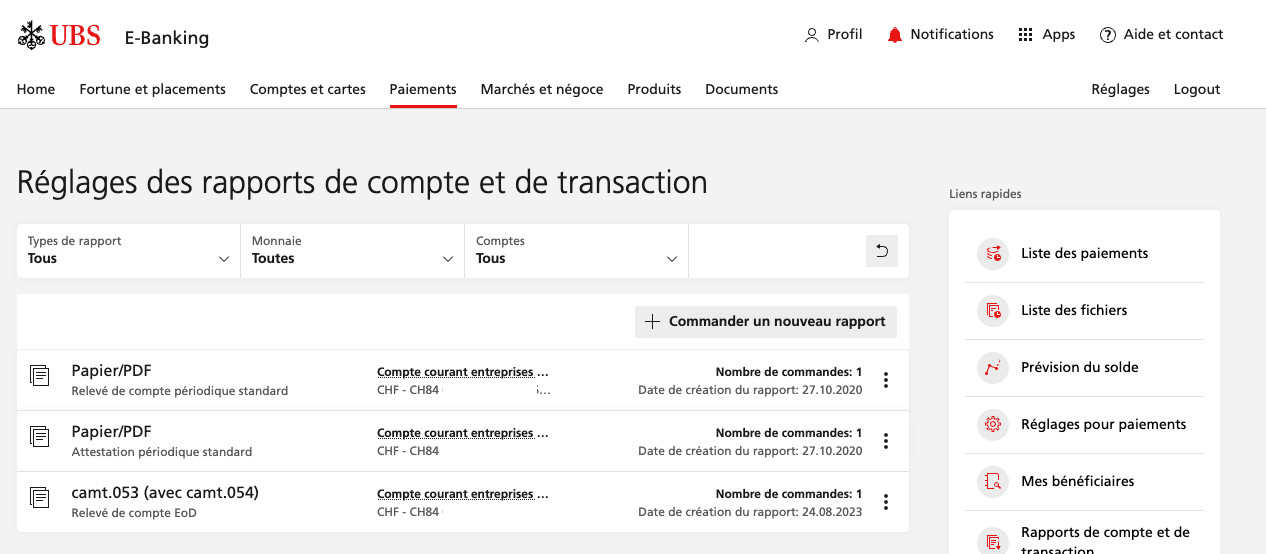
From the options listed on this page, click on camt.053 (with camt.054).
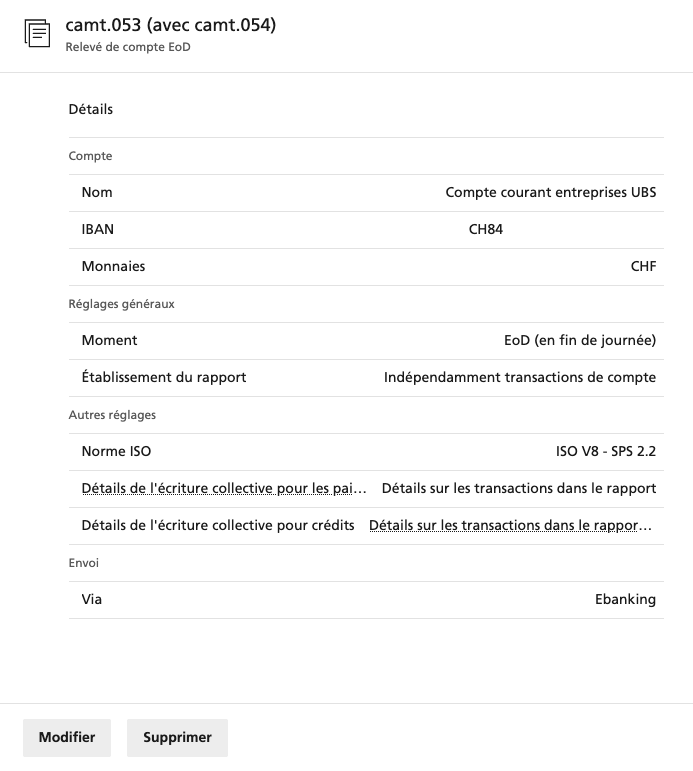
The parameters should be as described below, in particular the "ISO standard" used should be at least ISO V8 - SPS 2.2.
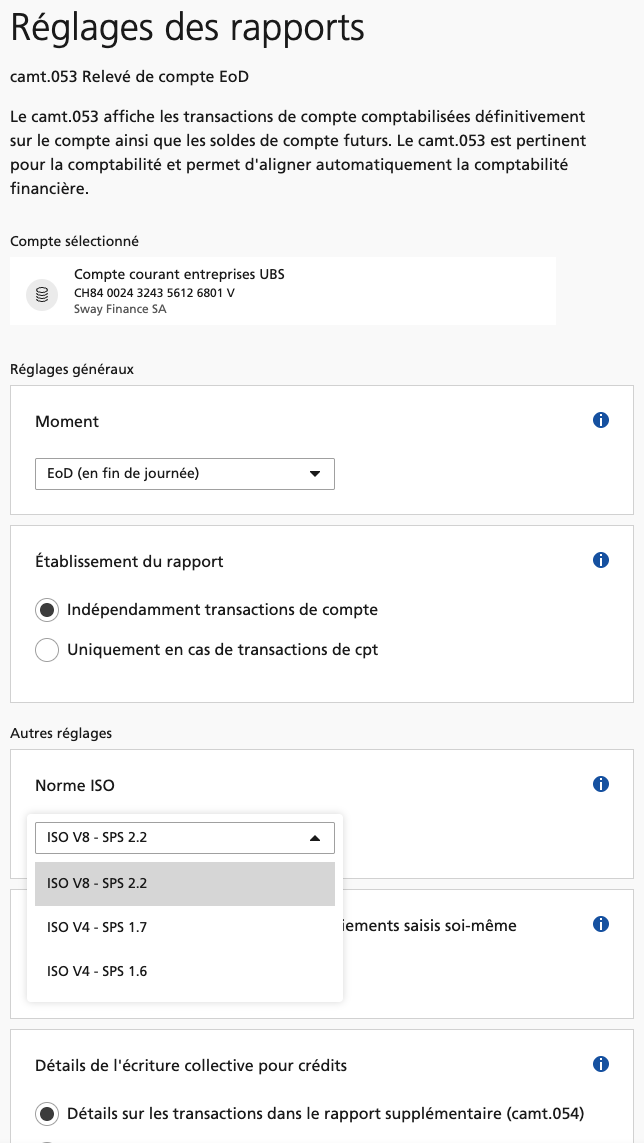
If not, click on 'Edit', enter the settings as described below, and then click on 'Apply changes':
camt053 reports are an iSO standard used to report transactions in an XML file, usually generated by the banks at the end of each day. The acronym camt stands for Cash Management. This standard is widely used across most banking infrastructure to export and/or exchange data. Open Banking data also may be built on top of these reports, hence the importance of using the most up-to-date formats to increase data quality and compatibility.


