
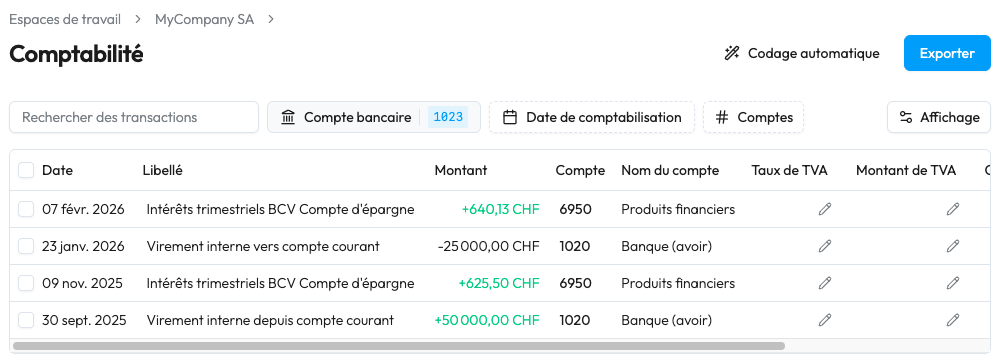
With Sway Finance's accounting module, you can leverage the AI-powered encoding of entries, and then export it in your favourite accounting tool format, such as Winbiz, Crésus, WinEUR, or even Abacus.
To do so, simply click the blue "Export" button in the top right corner of the accounting page.
A dialog window appears where you can chose:
This last option is useful depending on your accounting tool's configuration, in order to avoid encoding errors and odd characters appearing in place of the accents.
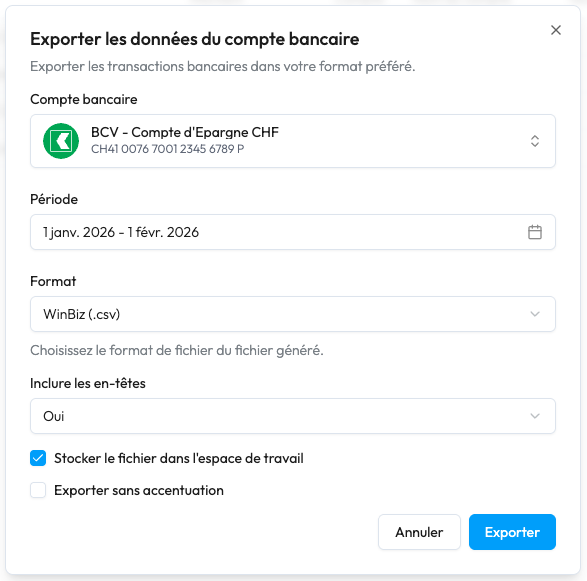
In addition to the accounting-tool-based formats, a CSV export is also available to serve as an archive, for instance, and/or to be imported back into a Sway Finance Workspace.


