

Winbiz is a well established accounting software in Switzerland. You can easily optimise your pre-accounting workflows by using Sway Finance:
Here's how to proceed:
1. Open the chart of accounts (from the Accounting tab).
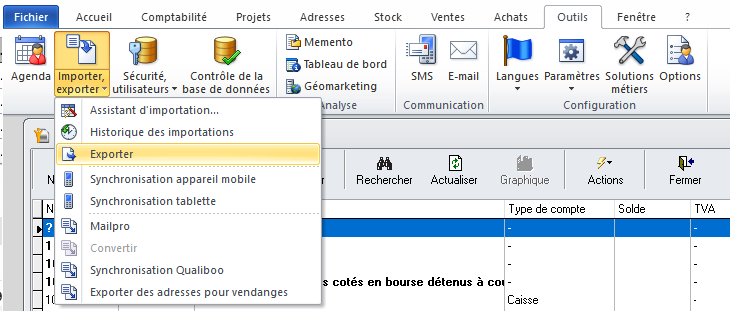
2. Go to the "Tools" tab, then "Import, Export" > "Export".
3. Check the tabs:
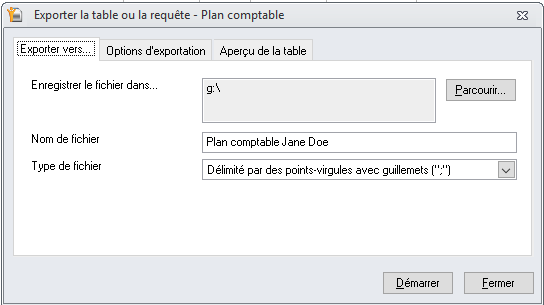
a. Export to...
i. Select the correct destination folder (to find the chart of accounts once exported)
ii. File type: “Semicolon-delimited with quotation marks”
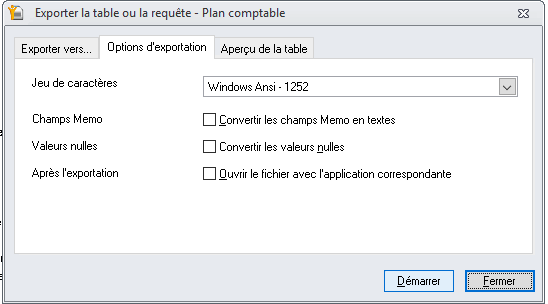
b. Export options:
i. Choose Windows ANSI - 1252 format
ii. Keep all boxes unchecked (Memo Fields, Null Values, After Export).
4. Click on Start.
✅ A CSV file is generated. You can import it directly into Sway Finance in the workspace settings and the "Chart of accounts" submenu.
After having automatically encoded your accounting lines with Sway Finance, you can seamlessly export them into the Winbiz format and import them into your accounting.
Simply follow these steps.:
1. From the accounting tab, open the accounting entries.
2. Click Action > import, export > standard import.
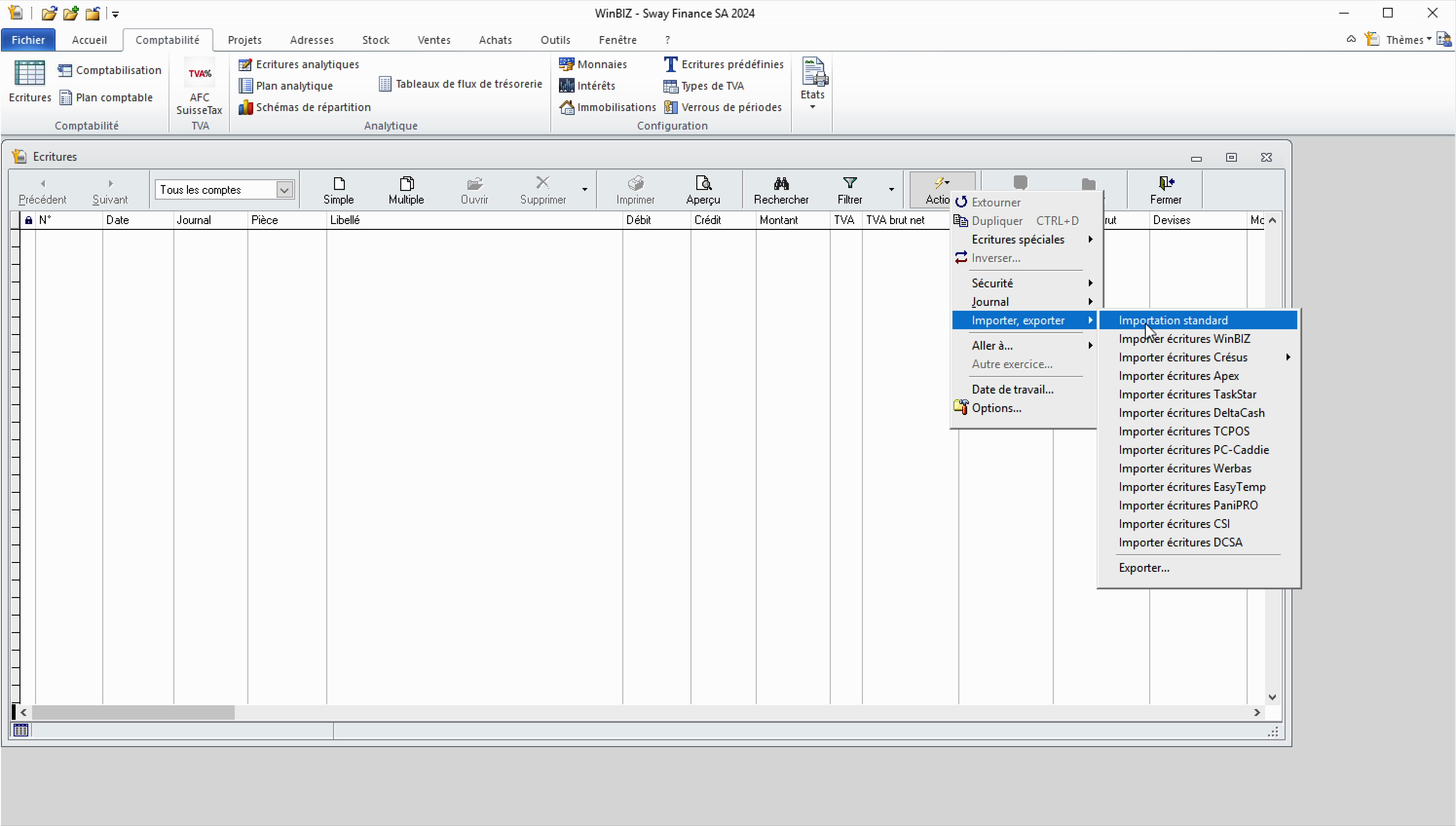
3. In the import parameters, make sure to select the correct file format. If you exported your data from Sway, select semicolon separators and UTF-8 conversion.
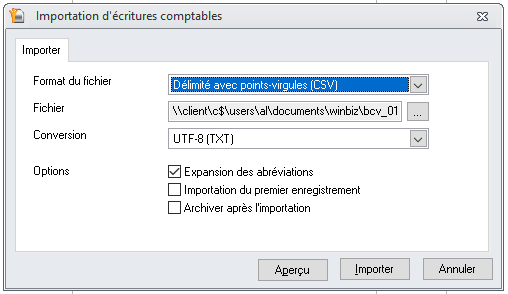
4. Once the import is complete, a success message will confirm the number of imported transactions.
Note:


