
After having automatically encoded your accounting lines with Sway Finance, you can seamlessly export them into the Winbiz format and import them into your accounting.
Simply follow these steps.:
1. From the accounting tab, open the accounting entries.
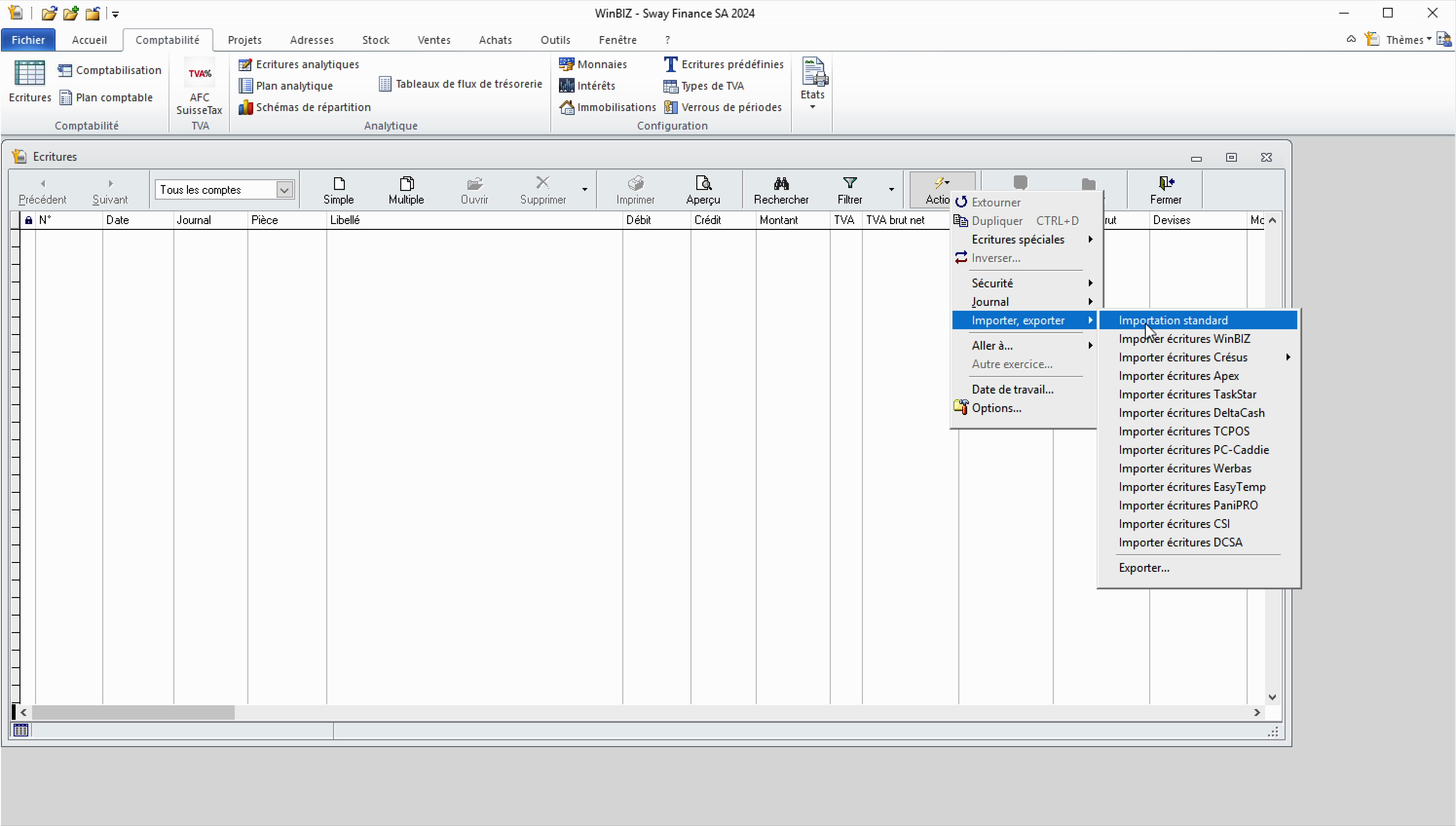
2. Click Action > import, export > standard import.
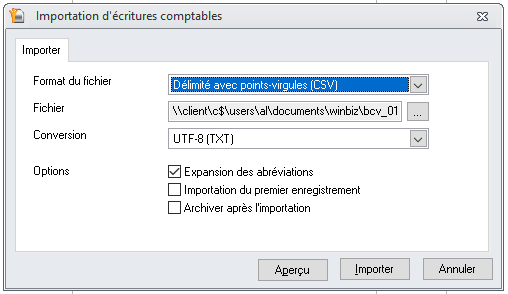
3. In the import parameters, make sure to select the correct file format. If you exported your data from Sway, select semicolon separators and UTF-8 conversion.
4. Once the import is complete, a success message will confirm the number of imported transactions.
Note:


