
💡 If you do not yet have a user account, start by registering at https://business.swayapp.io/sign-up. You will be prompted to create a workspace at the end of the process.
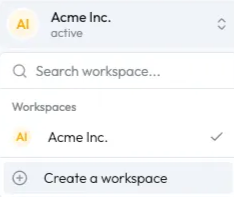
1. From your existing workspace, click on the selector in the top left corner, then select "Create a workspace".
2. Enter the name of your workspace and click on the "Create workspace" button.

✅ The new workspace has been created!


