
💡 To set up a bank account, you must either have the e-banking credentials to connect the account or have the account number to create a manual account.
1. In the menu on the left, select the "Bank accounts" entry.

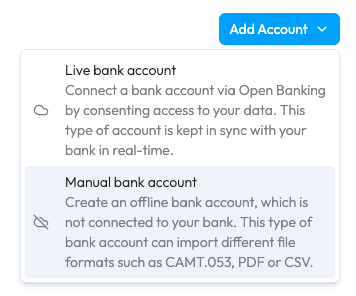
2. Click on the blue "Add account" button and select the "Live bank account" option.

3. Select the country, then the bank. Follow the steps on your bank platform to connect the desired bank account to Sway Finance.
1. Navigate to the bank accounts screen, as described in step (1) above.
2. Click on the blue "Add account" button and select the "Manual bank account" option.
3. Select the country, then the bank. Complete the account information (name, IBAN, etc.) and submit the form: the account is created and ready to receive data.

To learn how to add data to your offline account, please refer to the dedicated FAQ.


