
Crésus is a well established accounting solution in Switzerland. You can easily streamline your pre-accounting process by using Sway Finance:
Here's how to proceed:
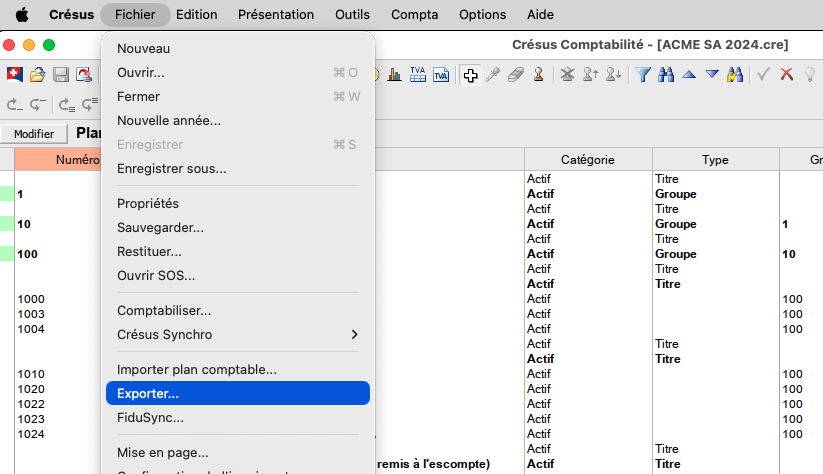
1. From the chart of accounts view, go to the "File" menu, then "Export...".
2. Tick the box “Export column names”
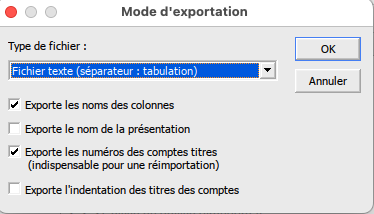
3. Click the"OK" button
A .txt file is generated. You can import it directly into Sway in the workspace settings, in the "Chart of accounts" submenu.


