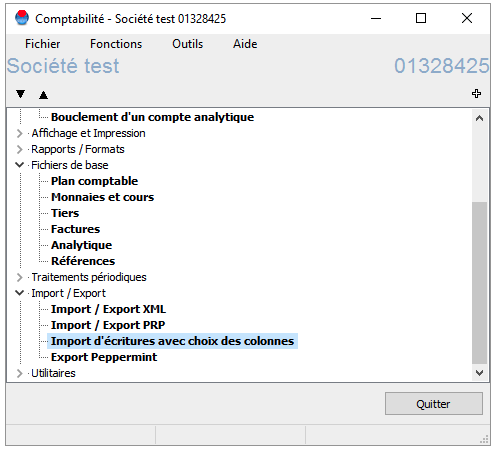
1. From the global menu of the selected company, open the import/export submenu and select "Import entries with column selection".
2. Configure or verify the configuration:
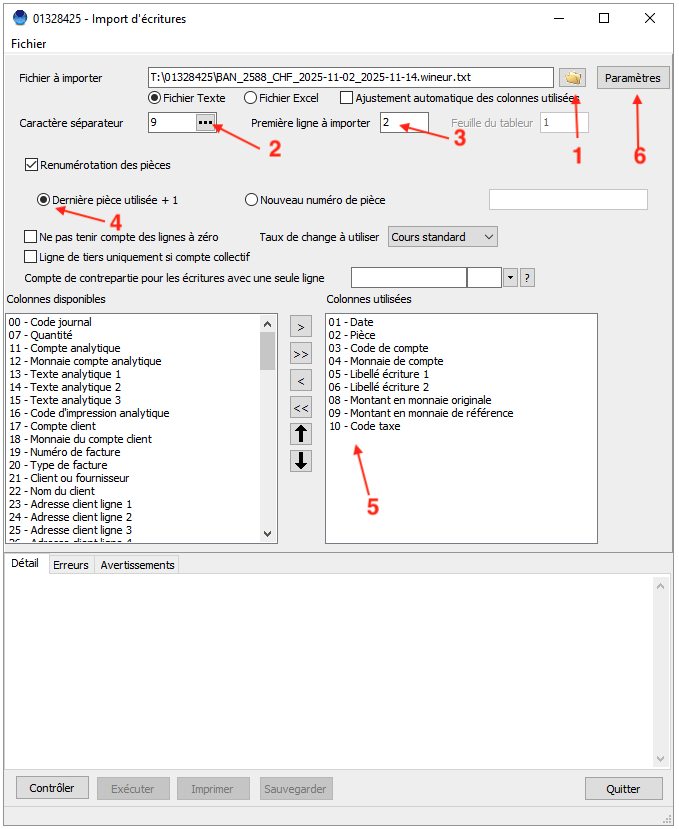
Select the file (via GIT cloud, you will need to add the file to the directory)
Select Text file with tab separators (number 9).
Indicate "First line to import": 2
Select the option to renumber documents and "Last part used + 1". ⚠️ You must have configured the document numbers beforehand, if you have not already done so (see FAQ here).
Select the columns in the file in the following order
(A) For accounts in the same currency as the chart of account:
Date
Document
Account code
Account currency
Entry description 1
Entre description 2
Amount in original currency
Amount in reference currency
Tax code
(B) For accounts in a different (foreign) currency:
Date
Document
Account code
Account currency
Entry description
Entre description
Amount in original currency
Broken-down Tax codes
Click on the "Settings" button in the top right corner.
Entries import in default company currency (A).
Entries import column selection for foreign currency accounts (B).
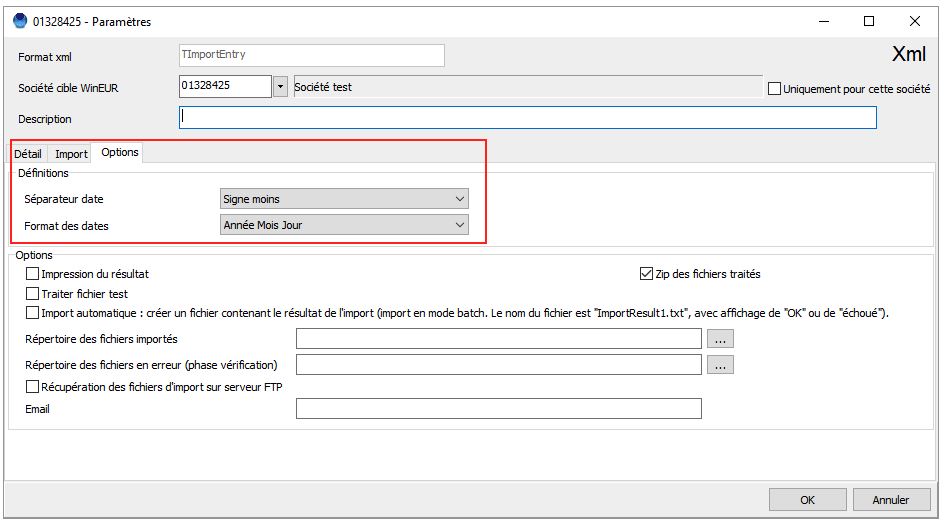
3. Under "Options", check that the selected date separator is "Minus sign" and the date format is "Year Month Day". Click "OK".
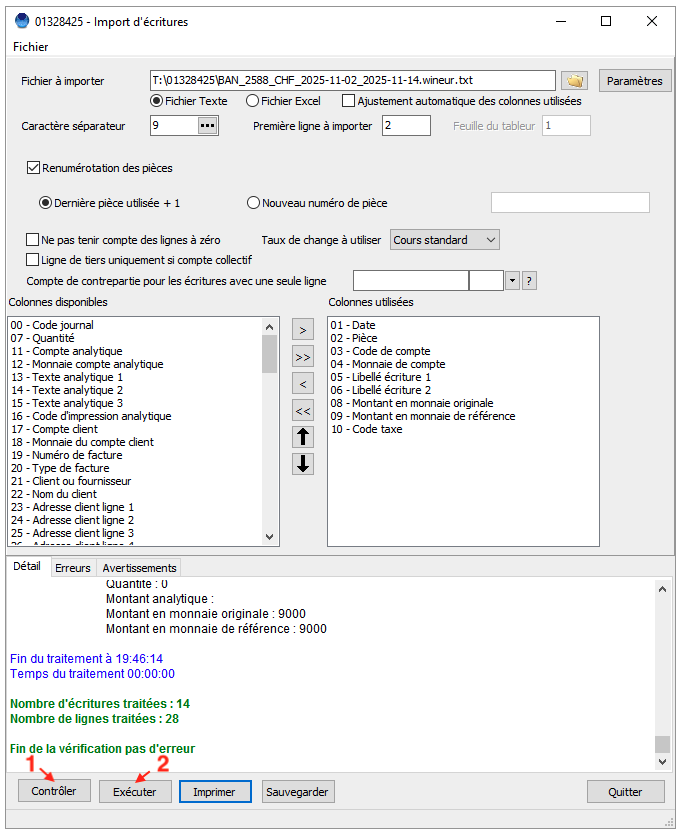
4. Click on "Check" (number 1 in the screenshot below); no errors should be displayed. If errors are displayed, check your configuration in the previous steps. Contact GIT or Sway Finance support if the error persists.
5. Then click on "Run" (number 2 in the screenshot below). The transactions are imported.
6. From the main menu, you can click on "Entry of entries" to view the imported entries.
Book a demo, contact us, challenge us! We are here to answer to your questions and to show you how Sway transforms how you handle financial data and automates your accounting.