

A workspace holds the bank accounts, payments, bills and invoices of one company, and the people who work on them. You can belong to several workspaces and switch between them.
Before you start
- An account with its second factor. See Secure your sign-in.
- The name of the company. Any account can create a workspace, and its creator becomes its Owner.
Create your first workspace
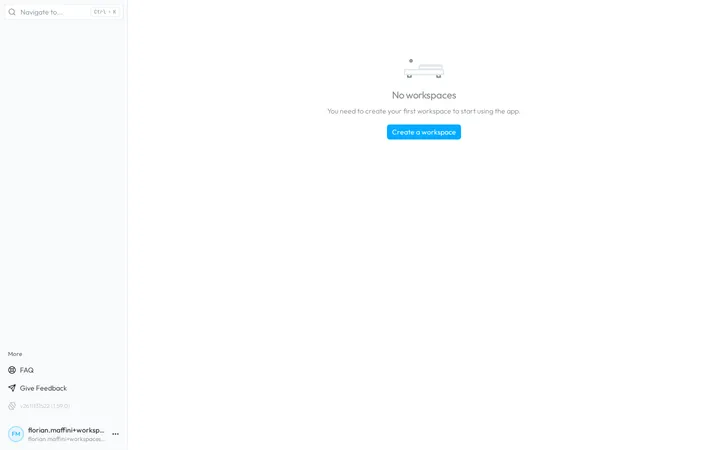
- Open Workspaces. After the setup of your second factor, or at a sign-in without a workspace, Workspaces shows No workspaces.
- Open the dialog. Choose Create a workspace. The Create workspace dialog opens.
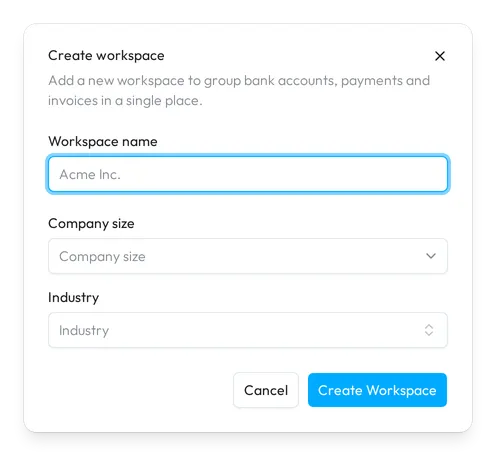
- Describe the company. Fill in the fields of the table below. Only the name is required.
- Create it. Choose Create Workspace. Sway opens the dashboard of the new workspace.
Add another workspace
At the top of the sidebar, the workspace switcher shows the name of the current workspace. Open it and choose Create a workspace under the list: the same dialog opens. Sway caps the number of workspaces that one person can create; past it, the creation fails with a message that says so.
The switcher also lists your workspaces in alphabetical order, and Search workspace… filters them. Choose one to switch: the web app keeps you on the same page in the other workspace.
Trial and licence
A new workspace comes with one month of the whole platform: the switcher shows Trialing under its name, then Active once the workspace has a licence. The base licence covers the whole platform.
When the trial or the licence ends, the workspace turns read-only. The sidebar then shows Workspace suspended, and Contact us opens the contact page. See also My workspace is suspended, what can I do?
Fields
| Field | What it takes | Required |
|---|---|---|
| Workspace name | The name of the company, up to 300 characters, such as Acme Inc. | Yes |
| Company size | The number of employees, in six bands from fewer than 5 to 250+ employees. | No |
| Industry | The sector of the company, from Agriculture/Pisciculture to Transportation. Type to search. | No |
Next step
Related answers
Written from the Workspaces screen of web app 1.58.0, with the labels of its EN, FR and DE catalogues.